
initai · how it works
How it works.
Everything to know before you start. It takes two minutes to read.
What you record
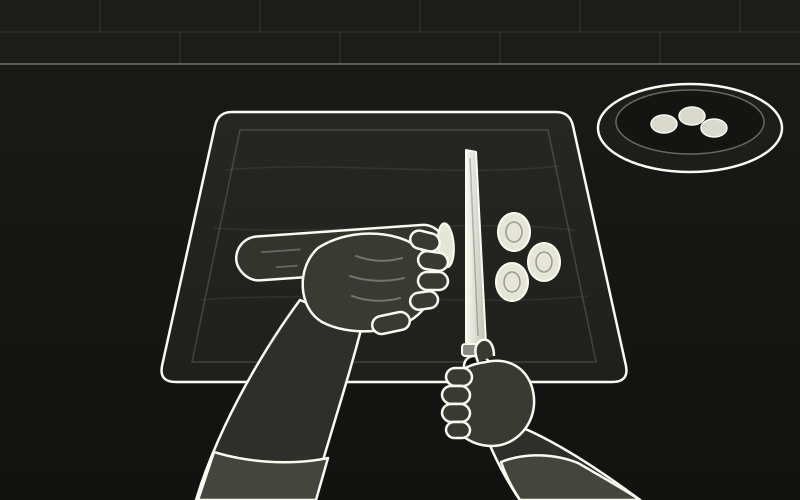
Real hands-on work, at a workplace, filmed from your own point of view. Each program lists the tasks it pays for, says what each one needs, and how long to record.
What it is for
Robots learn everyday hand work from first-person video. Your recordings show them how people really do it.
The steps
01Sign in with your emailabout 2 minutes
We email you a link; there is no password.
02Your country and your phone
Say where you record and which phone you record with. We tell you straight away whether the phone works.
03Accept the program's terms
Each program has its own terms: what is recorded, who sees it, and how points are earned.
04Accept the recording app's terms
The recording app has its own Terms of Use and Privacy Policy. You read them and tick to accept them here, before anything is set up in the app.
05Install the app and sign inabout 5 minutes
We make your login for the recording app, with the same email. Install the app and sign in: that is what links your recordings to you.
06Record tasks
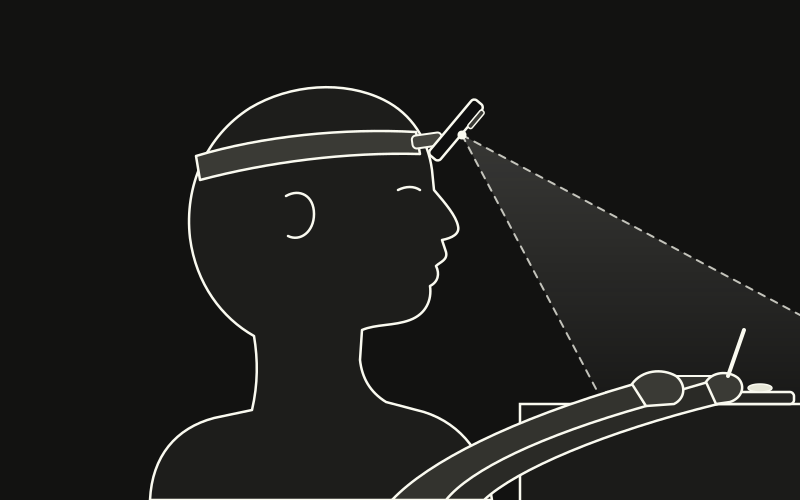
Put the phone on your forehead, pick a task, record. The app uploads it.
07Get paid
Recordings are reviewed, usually within a few days. Each approved hour pays $4; approved minutes show up here as points and hours.
$4 for every approved hour.
A recorded hour is not an approved hour: only footage that passes review is paid. Once you are signed in, your points page shows your approved time as points, and the recordings it came from.
Which phones
iPhone 12 to 18, Pixel 6 to 10, or Galaxy S21 to S26, with a head strap that holds it at your forehead. Not the iPhone e models or iPhone Air, the Pixel a models, the Galaxy FE and Edge, or folding phones. We check your phone before you accept anything.
Open programs
One moment.